
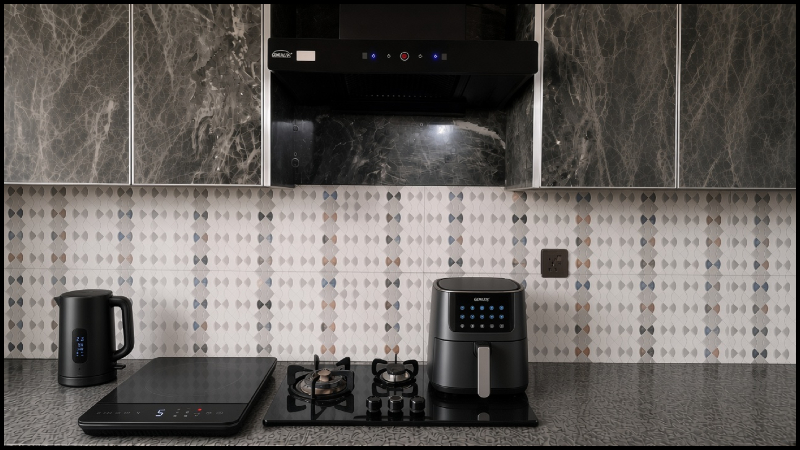
Most people upgrade their home by buying gadgets first and asking questions later. Then the cables pile up, the devices clash with the decor, and half of them are never used. Home Upgrade DecoradTech takes the opposite approach. It means choosing technology and decor together, so every addition solves a real problem and still looks like it belongs in the room.
The idea is backed by simple facts. The U.S. Department of Energy says LED bulbs use at least 75 percent less energy than traditional incandescent bulbs, and that setting a thermostat back 7 to 10 degrees Fahrenheit for eight hours a day can save around 10 percent a year on heating and cooling. Small, well-chosen upgrades can improve comfort and lower bills without a full renovation. The rest of this guide shows how to decide what to add, where to place it, and what to skip.
What Home Upgrade DecoradTech Really Means
Home Upgrade DecoradTech is a way of improving your home with three things working together: a real need, a simple technology that meets it, and a design that hides or flatters that technology. If one of these is missing, the upgrade usually disappoints. Technology without design makes a room look messy, and design without function becomes frustrating in daily life.
A smart bulb that makes your living room feel harsh at night is a failed upgrade, and so is a security camera that sticks out against a clean wall. A good upgrade is one you stop noticing, because the room simply feels better and the routine feels easier.
Start With the Real Problem
Before buying anything, walk through your home in the morning, in the evening and late at night. Pay attention to what actually bothers you. You may notice that you keep getting up to switch lights off, that one bedroom is always too hot, or that afternoon sun hits your screen and fades your furniture. You may also worry about the front door when you are out, or find that one corner is messy no matter how often you clean it.
Write these problems down. Each one points to a specific solution, and anything that does not appear on your list probably does not need to be bought. This single habit saves more money than any discount.
Smart Lighting Is the Easiest Place to Begin
Lighting changes how a room looks and feels more than almost any other upgrade, and it is usually affordable. The goal is not to make your home look futuristic but to match the light to the activity. Warm white light, around 2700K to 3000K, suits living rooms and bedrooms, while a more neutral light, around 4000K, works better in kitchens and study areas.
A well-lit room uses layers. General light fills the space, task light helps with reading or cooking, and accent light brings out shelves or artwork. Smart bulbs or dimmers let you control each layer. Many people buy color-changing bulbs and end up using only warm white at different brightness levels, so if that sounds like you, simple dimmable warm bulbs may be enough. Check that your bulbs work with your phone or voice assistant before buying, and upgrade one room first. Live with it for a couple of weeks before changing the rest.
Thermostats and AC or Heating Systems
A thermostat is worth adding when temperature control is a real problem. If your home is already comfortable, installing one only because it looks modern is not a good use of money. When it is needed, placement matters. Keep it away from direct sunlight, kitchens, vents and drafty doors, because these give false readings and make the system work harder than necessary.
Before upgrading equipment, check the basics. Dirty filters, poor insulation, leaking windows and blocked vents often cause more discomfort than the thermostat itself. A schedule helps most when your routine is predictable, such as lowering the heating or cooling while the house is empty. If you can, compare your energy bills before and after the change to see whether it is paying off. For the look, choose a controller whose finish suits your wall and avoid putting it beside a framed picture or a cluster of switches.
Motorized Curtains and Blinds
Motorized curtains and blinds are most useful for large windows, hard-to-reach windows, and rooms where sunlight changes a lot through the day. They add convenience and give you steady control over light and privacy, but they need a little planning. Battery-powered motors are easier to install but need charging or replacement, while wired options look cleaner but must be planned in advance.
Heavy curtains need stronger motors, so check weight limits before buying. Accurate measurements decide whether blinds look professional or awkward. The style should also match the room, with blackout fabric in bedrooms and lighter material in living areas, and the motor should be as hidden as possible. If you only adjust your curtains occasionally, a good regular curtain rod may serve you better, and that is perfectly fine.
Security Devices That Fit Your Actual Risk Points
Security technology is not about installing as many cameras as possible. Start by identifying your entry points, such as the main door, the back door, ground-floor windows, the garage and any dark side area. Place cameras where they cover entrances and approaches, and never in private indoor spaces like bedrooms or bathrooms.
Use strong, unique passwords and keep the device software updated, because a poorly protected camera can become a risk instead of a protection. Avoid pointing cameras at neighboring homes, and test your Wi-Fi signal where each device is installed, since a camera with a weak connection protects nothing. For appearance, mount devices at a sensible height, hide wires, and choose colors that blend with the wall or trim.
Storage Is the Part Everyone Forgets
Technology brings chargers, routers, hubs, remotes and cables, and without a plan these quickly turn into clutter. A closed cabinet or ventilated media unit can hold routers and hubs, as long as you do not block airflow around devices that produce heat. Cable clips, sleeves or a small cable box keep wires tidy, and a single charging station is better than chargers scattered around the house.
Keep daily items within easy reach and store occasional items higher or further away. If your storage matches your furniture in wood tone, color and handles, it feels like part of the room instead of an afterthought. A calm-looking room is usually one where technology is present but not shouting for attention.
Making Technology Match Your Home’s Design
The easiest way to keep a room balanced is to stick to a color story. If your space is warm and wooden, choose white, beige or wood-tone devices instead of bright black or silver everywhere. Fewer, better devices also look more intentional than many mismatched ones. Decide where each device will sit, and where its cable will go, before you buy it.
Hide what you can and display what is attractive. A good-looking speaker or lamp can be part of the decoration, while a tangle of wires never will be. Keep shelves and surfaces clear enough that the room does not feel busy.
Questions to Ask Before You Buy
Before adding any device, ask yourself six things. What exact problem does it solve? Will I use it every day or week, or only for the first few days? Do I have a proper place for it, with power and Wi-Fi if needed? Will it suit the colors and style of the room? Will it make my home tidier or add clutter? And will it make daily life easier, safer or more comfortable? If you cannot answer yes to most of these, wait before buying.
Mistakes That Waste Money
The most common mistake is buying devices from different systems that do not work together. Others include following trends instead of needs, ignoring Wi-Fi coverage in rooms where smart devices will be used, and forgetting maintenance such as battery changes and software updates. Many people also spend on gadgets before fixing basics like lighting layout, storage or insulation, and those basics usually make the bigger difference.
A Simple Way to Start
Spend the first week noticing problems and writing them down. In the second week, improve the lighting in one room. Use the next two weeks to fix storage and cable clutter in that same room. After that, add one comfort or convenience upgrade, such as a thermostat or motorized blinds, only if you still need it. Security devices can come later, based on your actual entry points and budget. Review after each step, keep what works, and skip what does not.
Frequently Asked Questions
What is Home Upgrade DecoradTech?
It is an approach to improving a home by choosing technology that solves real problems and fits the home’s design, instead of buying gadgets for their own sake.
Do I need expensive devices to upgrade my home?
No. Better lighting placement, tidy storage and a few well-chosen devices can make a clear difference without a large budget.
Which upgrade should I start with?
Lighting is usually the best first step because it is affordable, easy to test and visually effective.
Final Thoughts
A good home upgrade does not announce itself. The room feels better, the routine feels easier, and nothing looks out of place. That is the real goal of Home Upgrade DecoradTech. Identify the real need, choose useful technology, and let design and organization hold everything together. Start with one problem in one room, and build from there.
Disclaimer
This article is for general information only. Products, costs and suitability vary by home, budget and location. For electrical, gas or heating and cooling installations, consult a qualified professional.

Fiza Shakoor is a passionate writer who shares practical ideas about home improvement, decor, and everyday living. She focuses on simple, comfortable, and organized home ideas that are easy to understand and apply. Her writing covers DIY projects, home makeovers, storage solutions, and interior and exterior design. Through her articles, Fiza aims to help readers create beautiful and functional spaces with practical ideas. She believes that a well-designed home should be comfortable, organized, and suitable for everyday life.
Pingback: Renovation Tips Decoradhouse: Smart Home Improvement Guide
Pingback: Smart Home Decoradtech Ideas for a Stylish and Smart Home